RSS to newsletter, drafted in your voice
RSS to newsletter without copying and pasting. HeyNews follows the feeds you read, scores new stories for your audience, and drafts the issue in your voice. You review it and send from your own platform.
14-day trial or 5 generated issues. HeyNews drafts, you review before sending.
What it is
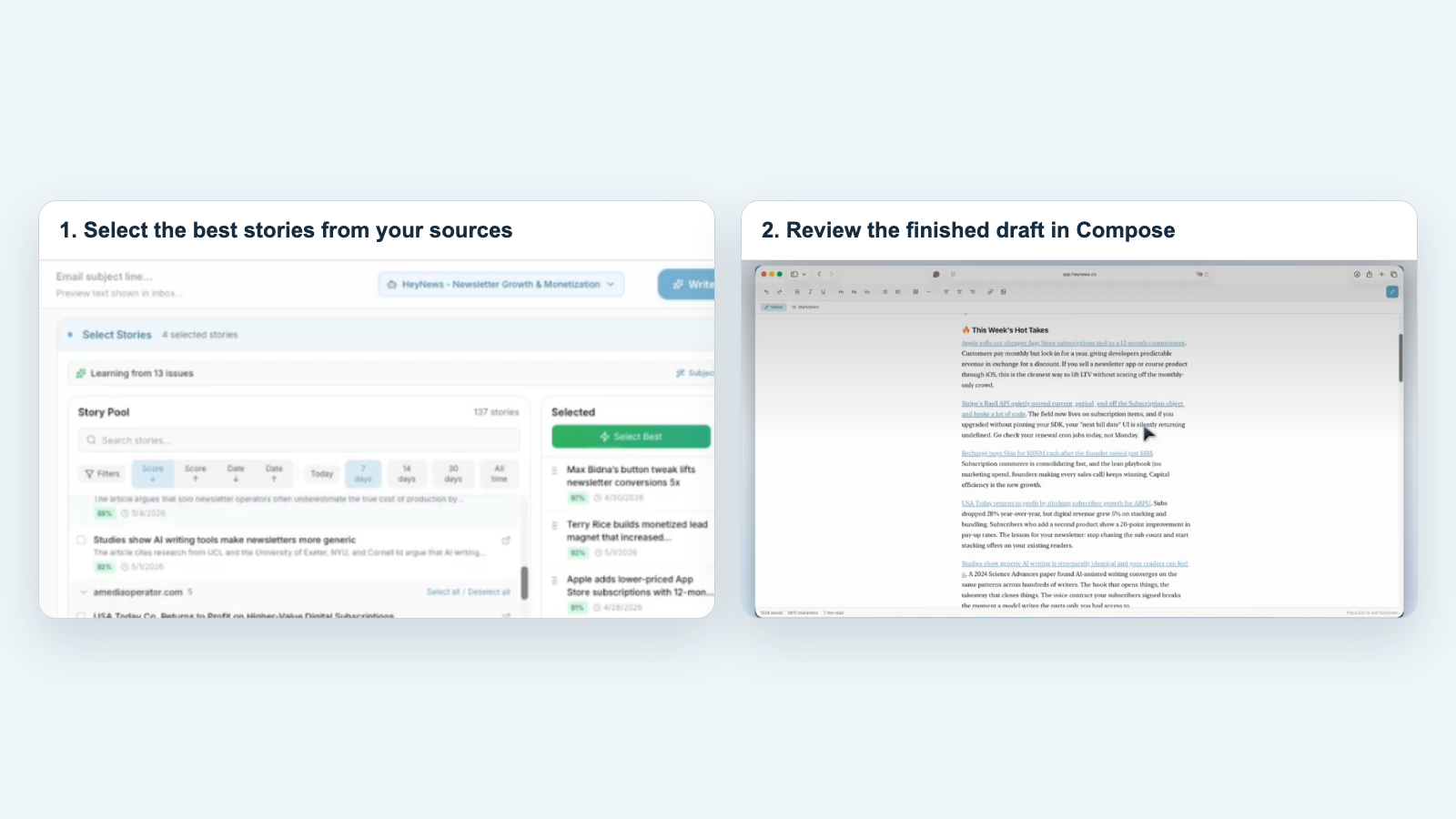
HeyNews turns RSS feeds into a newsletter draft. Add a feed or site to Sources. HeyNews checks it automatically and scores new stories. Smart Select fills your sections; your AI Writer drafts in a voice learned from past issues. You review and send from your platform.
How RSS to newsletter works in HeyNews
- Add a feed or a site URL
- Paste a public RSS feed URL or a blog address. HeyNews discovers the feed and pulls articles into Sources.
- New stories arrive scored
- HeyNews checks feeds automatically and scores each story for relevance.
- Smart Select fills your sections
- The Select Best button picks the most relevant stories for each section, up to that section's story count.
- Your AI Writer drafts the issue
- It writes the full issue in your voice, plus subject line and preview text options. Generation continues if you walk away.
- You review and send
- Edit in Compose, refine with AI chat, then send from your newsletter platform.
What it does not do
HeyNews does not send or publish. New automations use stories published since your last draft, or from the last 7 days before your first one. Pick issue days and a one- to four-week cadence. Drafts wait in Issues for review. On paid beehiiv plans with draft access, create an unsent draft there; otherwise copy it to your platform. You send.
Where the draft goes
- beehiiv
- Connect with your API key. HeyNews imports past issues and pulls performance data. On paid beehiiv plans, HeyNews can create each finished draft as an unsent post draft in beehiiv. It never schedules or sends.
- Kit
- Connect through OAuth. HeyNews imports your broadcasts and tracks performance. Paste the draft into a new Kit broadcast.
- Any other platform
- Substack, Ghost, Mailchimp, Medium, or anything with a public archive connects through Newsletter Archive. No API key is needed. Copy the draft into your editor.
Pricing
| Plan | Plan details | Price |
|---|---|---|
| Hobbyist | 5 issues / month · 1 publication · 5 AI revisions / draft | $39/mo |
| Starter | 15 issues / month · 2 publications · 10 AI revisions / draft | $99/mo |
| Pro | 45 issues / month · 4 publications · 20 AI revisions / draft | $299/mo |
| Team | 90 issues / month · 10 publications · 100 AI revisions / draft | $499/mo |
Plans differ by issues per month, AI revisions per draft, and publications.
Use cases
The weekly industry roundup
HeyNews scores new posts from the blogs you follow, then Smart Select picks the stories your readers care about. Sunday afternoon becomes a short review.
The company newsletter fed by your own blog
Add your company blog and the trade press you cover. HeyNews drafts the monthly issue in your voice. Your team edits and sends.
FAQ
Which feeds can HeyNews follow?
Any public RSS feed. Paste a blog URL and HeyNews discovers it. Reddit, social profiles, and saved articles can sit beside your feeds in Sources.
Does HeyNews send the newsletter for me?
No. HeyNews drafts, you send. Automated drafts wait in Issues until you review them.
How does the draft sound like me?
HeyNews builds a Voice Profile from the issues you have already sent through beehiiv, Kit, or a public newsletter archive. Your AI Writer drafts from it.
How is this different from RSS to email in my newsletter platform?
RSS to email forwards feed items as they arrive. HeyNews writes an issue: it picks across all your feeds, writes in your voice, and leaves the send to you.
What is the free trial?
14 days or 5 drafts, whichever comes first.
Turn your feeds into a draft this week.
Add one feed, connect your archive, and judge the first draft yourself.
Start your 14-day free trialBuilt by Cagri and Eren. We use HeyNews for our own newsletter.
Switching to HeyNews? See the AI newsletter generator
Related pages
Last updated .