Generic AI draft
Apple launched cheaper annual subscriptions. Stripe moved current_period_end to subscription items. Recharge acquired Skio for $105 million. Subscription businesses should review these changes.
HeyNews is an AI newsletter generator that learns from your past issues, watches your sources, and drafts the next issue in your voice. Keep sending from beehiiv, Kit, Substack, or wherever your readers are.
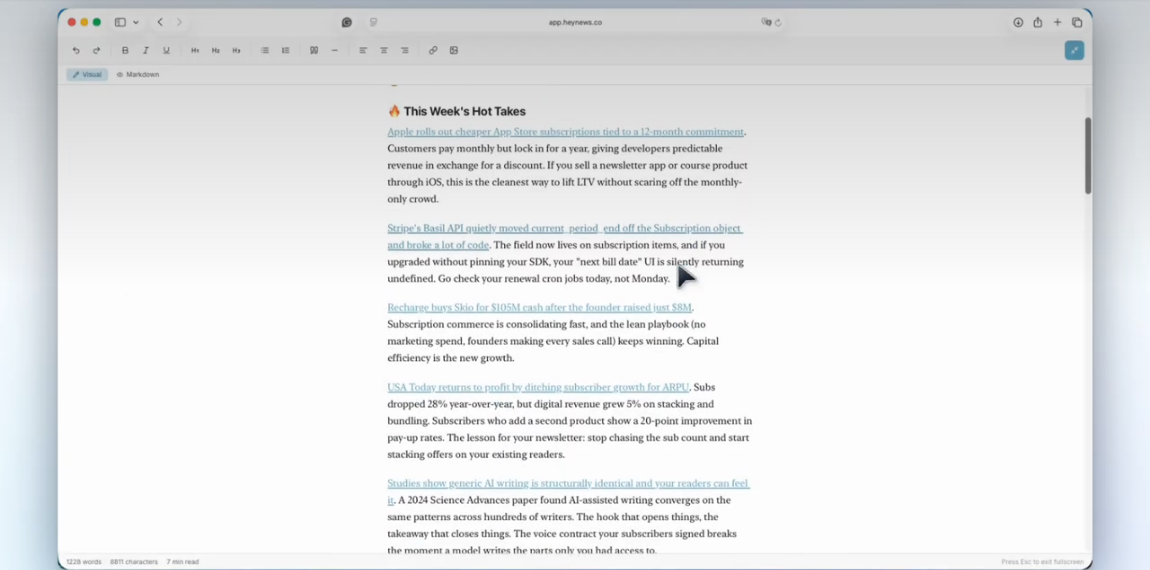
Most AI newsletter generators turn a topic or feed into a summary in the model's default voice. HeyNews starts with your archive. Connect beehiiv, Kit, or a public archive, and it learns your tone, vocabulary, sentence patterns, section structure, and signature phrases.
Then it scores stories from your sources, drafts in your voice, and suggests subject lines. You review, edit, and send. HeyNews never publishes on its own.
Curious how the voice training works? See how HeyNews learns your writing style
Both drafts use three stories from our demo. The generic version got only the story summaries. The HeyNews version used the publication archive.
Apple launched cheaper annual subscriptions. Stripe moved current_period_end to subscription items. Recharge acquired Skio for $105 million. Subscription businesses should review these changes.
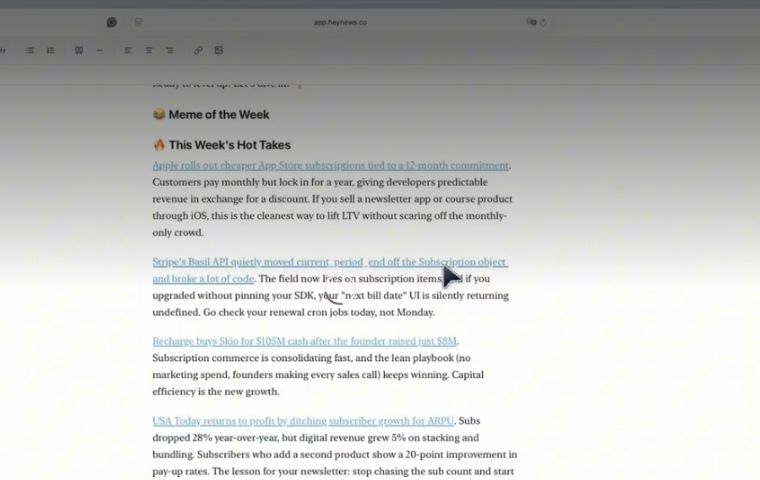
Apple rolls out cheaper App Store subscriptions tied to a 12-month commitment. Customers pay monthly but lock in for a year, giving developers predictable revenue. Stripe's Basil API quietly moved current_period_end off the Subscription object and broke a lot of code. Go check your renewal cron jobs today, not Monday. Recharge buys Skio for $105M cash after the founder raised just $8M. Capital efficiency is the new growth.
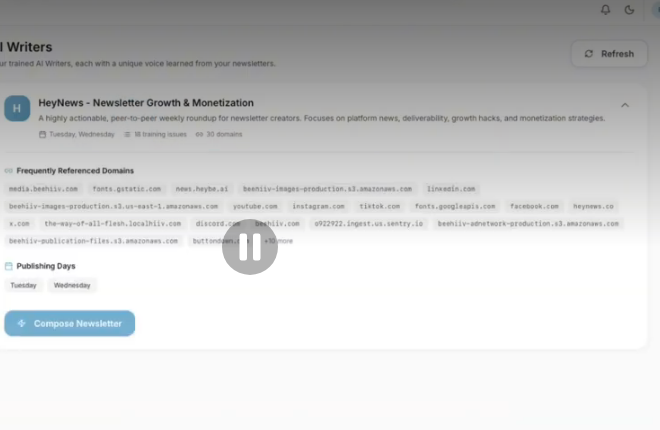
Connect beehiiv, sign in to Kit, or point HeyNews at a public archive. HeyNews imports past issues and builds your Voice Profile automatically.
Add a feed, site, subreddit, or social profile. New stories arrive on a schedule with a relevance score; the Chrome extension catches anything else.
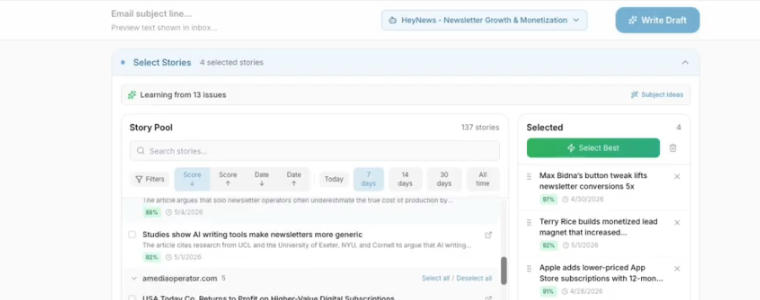
Pick stories or use Smart Select. The AI Writer drafts the issue, subject line, and preview text. Refine it, edit it, then send from your platform.
Want the next draft written on a schedule? See how newsletter automation works
Solo writers and brands that want drafts to match the voice readers signed up for.
See how it learns your voiceTeams that need the newsletter to match their brand while keeping human review.
See the review workflowEach publication gets its own writers, sources, and settings. The Team plan covers 10 publications, and publication packs extend any plan.
Compare plansJasper, Copy.ai, and ChatGPT are general writing tools. beehiiv AI lives inside one platform's editor. Each linked page has the full comparison, including when to pick that tool instead.
| Tool | Voice source | Source workflow | Newsletter feedback loop |
|---|---|---|---|
| Jasper | Brand Voice and Style Guide | No feed monitor | No send feedback |
| Copy.ai | Brand Voice from existing content | Custom workflows | No send feedback |
| beehiiv AI | Prompted tone | You supply source text | No automatic feedback |
| ChatGPT | Instructions, projects, or pasted issues | Manual or custom workflow | No newsletter feedback |
| HeyNews | Voice Profile from past issues | Scheduled, relevance-scored feeds | Uses open and click data |
A tool that turns source material into a newsletter draft. HeyNews also learns your voice from past issues and uses send performance to improve later drafts.
HeyNews has no free plan. The trial lasts 14 days or 5 generated issues, whichever comes first, after you add a payment method. Cancel before it ends and you are not charged.
A connected archive teaches the Voice Profile your tone, vocabulary, structure, and signature phrases. You still review every draft before sending.
General writing tools make you supply the stories and voice instructions. HeyNews connects the sources, archive, draft, and performance loop.
beehiiv and Kit connect directly, and on paid beehiiv plans HeyNews can create each finished draft as an unsent post draft in beehiiv. Substack, Ghost, Mailchimp, Medium, and other newsletters with a public archive connect through archive import. Sending stays on your platform.
No. Every draft, including scheduled drafts, is saved for review. You send the final version from your newsletter platform.
From RSS feeds, sites, social profiles, subreddits, the Chrome extension, and stories you add by hand. Each story gets a relevance score.
Yes. Refine it in chat, use one-click transforms, add a hot take, or edit the text directly. Refinement limits depend on your plan.
Plans start at $39/mo for 5 issues a month and go up to $499/mo for 90 issues across 10 publications. Yearly billing takes 30% off. Add-ons and trial terms are on the pricing page.
Plans start at $39/mo for 5 issues. Yearly billing takes 30% off. Every plan starts with a 14-day trial capped at 5 generated issues.
See all plans and add-onsConnect your archive, add sources, and read the first draft.
Start free trialBuilt by Cagri and Eren. We use it for our own newsletter.
Last updated .